
DrumBrute
Pure Analog Beats
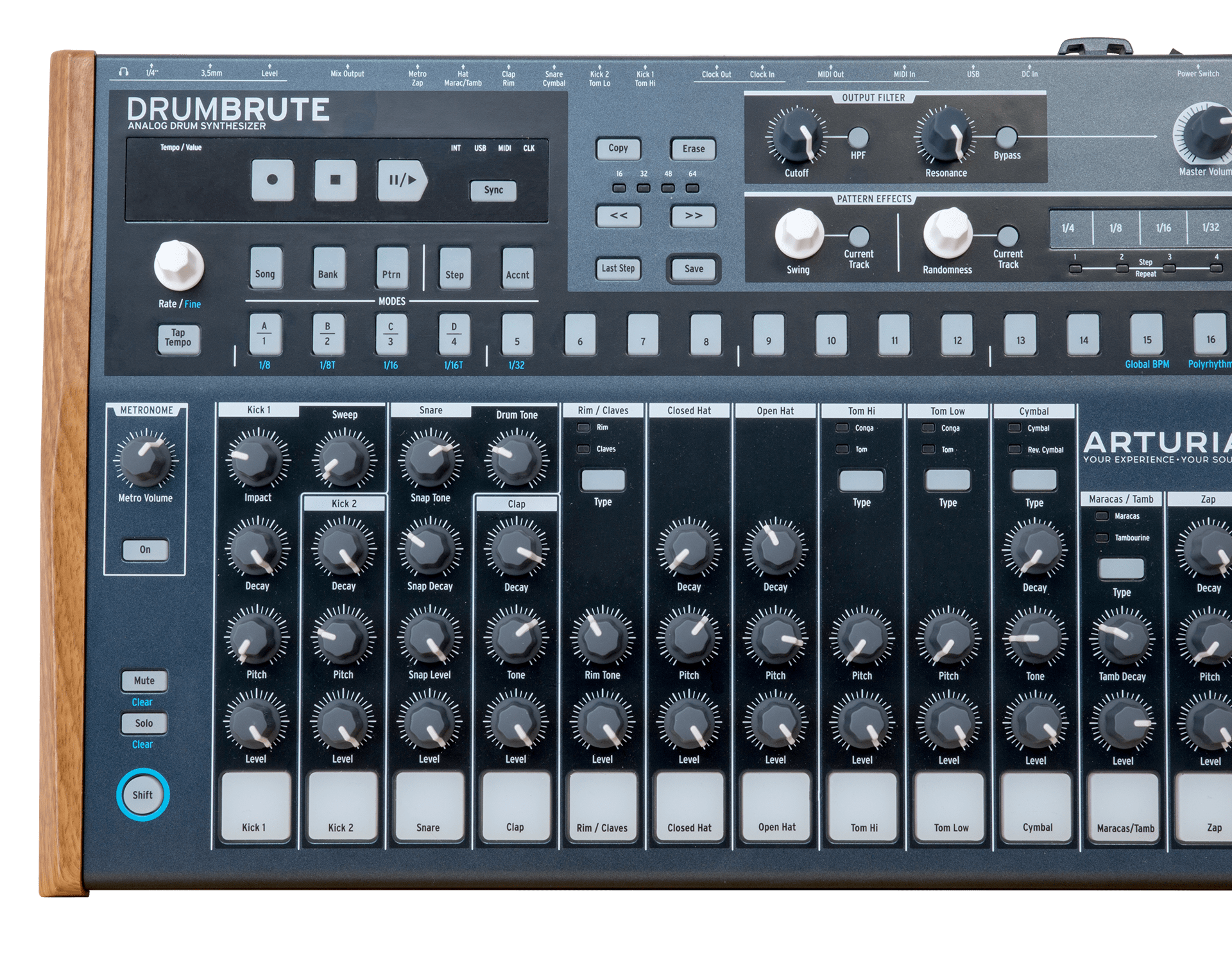
DrumBrute
Tutorials
Tutorials | Ep. 1: Entering Steps
Make your beat, tweak the dynamics
In this first tutorial video we’ll take a look at how to enter steps into the sequence. There are 3 ways to do this. Learn how to set the tempo, add accented notes, and deselect notes from your sequence.
Tutorials | Ep. 2: Live Performance Controls
Add excitement to your performances
Creative use of the Mute and Solo buttons, the filter and roller to create tension and build ups, and connecting external effects by using the individual outputs found on DrumBrute, all to create an exciting live real-time performance.
Tutorials | Ep. 3: Polyrhythm
Rhythmic possibilities to get them dancing
Polyrhythm. It’s something you will find in most music, electronica, house, r’n’b, hip hop, and more. It adds subtleties to the rhythm to keep it interesting. Just a few clicks and you can add an extra dimension to your live and studio performances.
Tutorials | Ep. 4: Adding Feel
Adding the human touch to your beats
Feel and movement of beats is important. So far everything we have created throughout this series has been quantised, meaning that the timing of every step has been completely perfect, which ends up sounding computerised and unnatural. Fear not, DrumBrute offers lots of timing flexibility.
Tutorials | Ep. 5: Metronome & External Hardware
Keeping time, opening new connectivity ideas
DrumBrute has as metronome which can be set to different timings. But wait, there’s more: as DrumBrute has a separate audio output for the metronome it can be used in interesting and wonderful rhythmic ways.
Need more help ?
Our support team is happy to help you with questions on how to use Arturia instruments. You can contact them from this page :
Ask for help